Hold the talk key
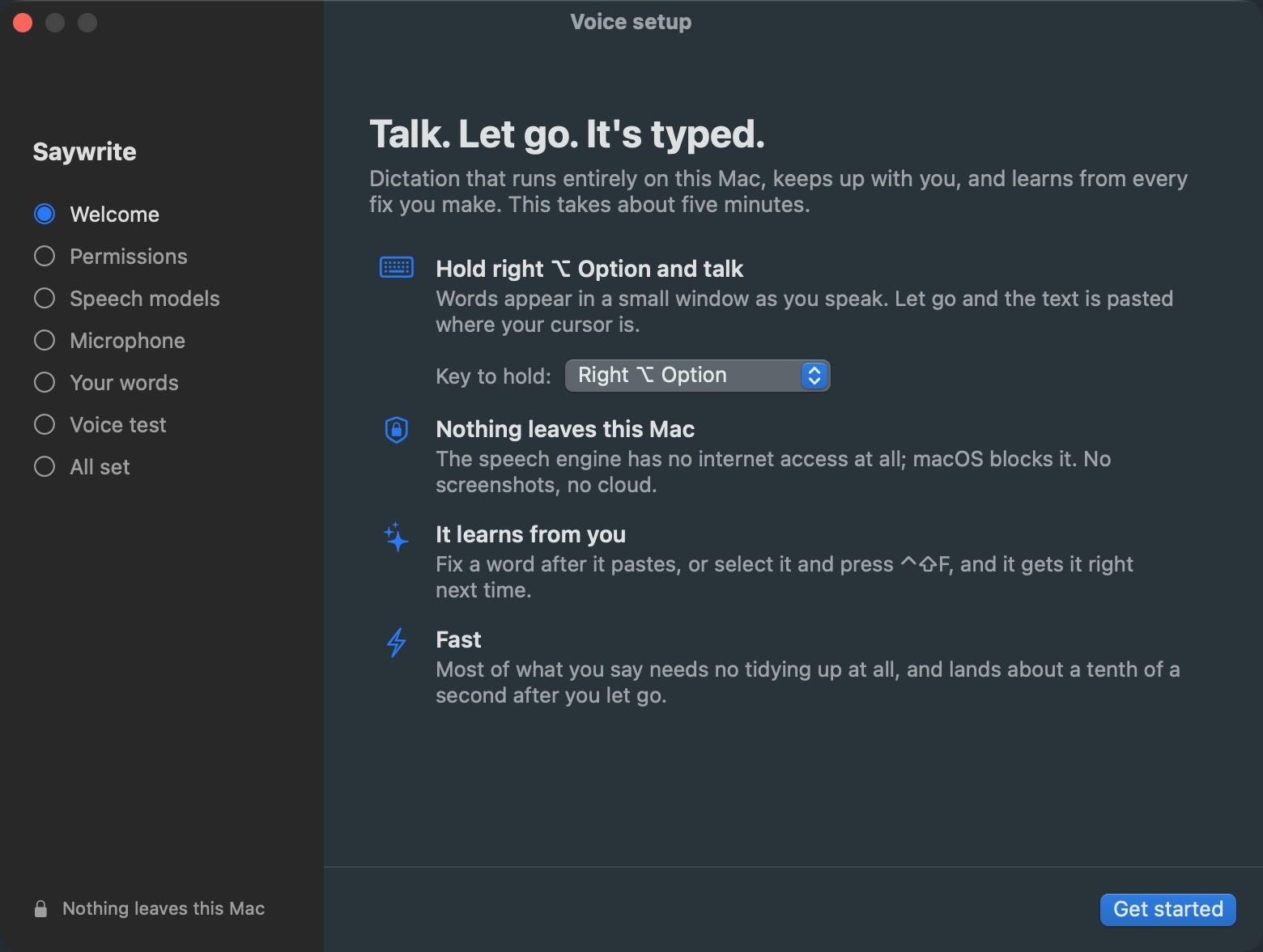
Right ⌥ Option to start with, or pick another. A quick tap won't set it off, and pressing any other key while you hold it cancels.
Right ⌥ OptionRight ⌘ CommandRight ⌃ Controlfn / Globe
 Rarely Impossible

Saywrite
Private dictation · Mac
Hold right ⌥ Option and talk. Your words appear in a small window as you speak. Let go, and it's typed wherever your cursor is. Your voice is turned into text on your Mac, and it stays there.
Animated illustration, not a screenshot: holding the right Option key, speaking, and letting go. Words appear in Saywrite's floating window, then the finished text is pasted into a Mail message.
Try it: press and hold the key, then let go. Or hold your own right ⌥.
How it works
No app to switch to and no button to find. Saywrite lives in your menu bar and types into whatever you're using: Mail, Notes, Slack, anywhere you can type.
Right ⌥ Option to start with, or pick another. A quick tap won't set it off, and pressing any other key while you hold it cancels.
A small floating window sits by your text cursor and shows your words as you say them, so you know it heard you.
Your words appear where your cursor is. Nowhere to type? It says “No text field — copied, press ⌘V”, and the text is waiting on your clipboard.
Most of what you say only needs a quick tidy, so it appears about a tenth of a second after you let go.
Cleaned up as it lands
Every dictation gets a quick tidy as it lands.
um so the release is uh ready for Thursday
So the release is ready for Thursday.
Um, uh and erm are taken out.
let's meet on Tuesday scratch that let's meet on Friday
Let's meet on Friday.
Say “scratch that”, “delete the last three words”, “new line” or “new paragraph”.
send the deck to anna lisa and pre anka
Send the deck to Anneliese and Priyanka.
Teach it the names and words you use, and they come out spelt your way.
For the trickier moments, a small language model on your Mac tidies the text a bit more. It only steps in when it helps, and you can switch it off in the menu bar.
Saywrite picks a style from the app you're in. In Slack, the full stop at the end is dropped, so messages read like messages. And it switches itself off in password managers and password fields.
It learns from you
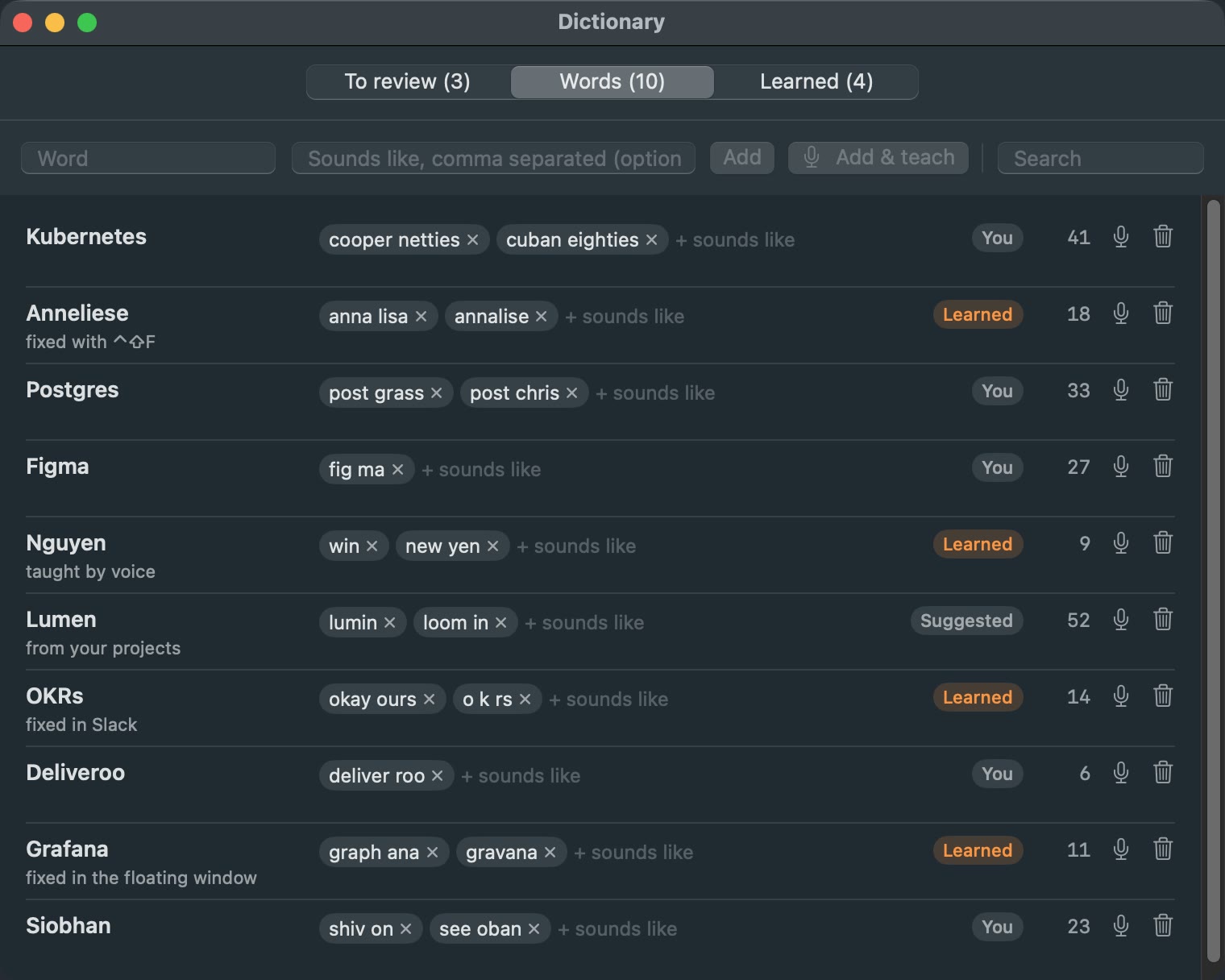
Ordinary dictation keeps getting people's names and the words you use every day wrong. Saywrite learns them from the fixes you already make.
Private by design
Your voice is turned into text right here on your Mac. What you say isn't sent to us or anyone else. No cloud, no screenshots.
Voice setup
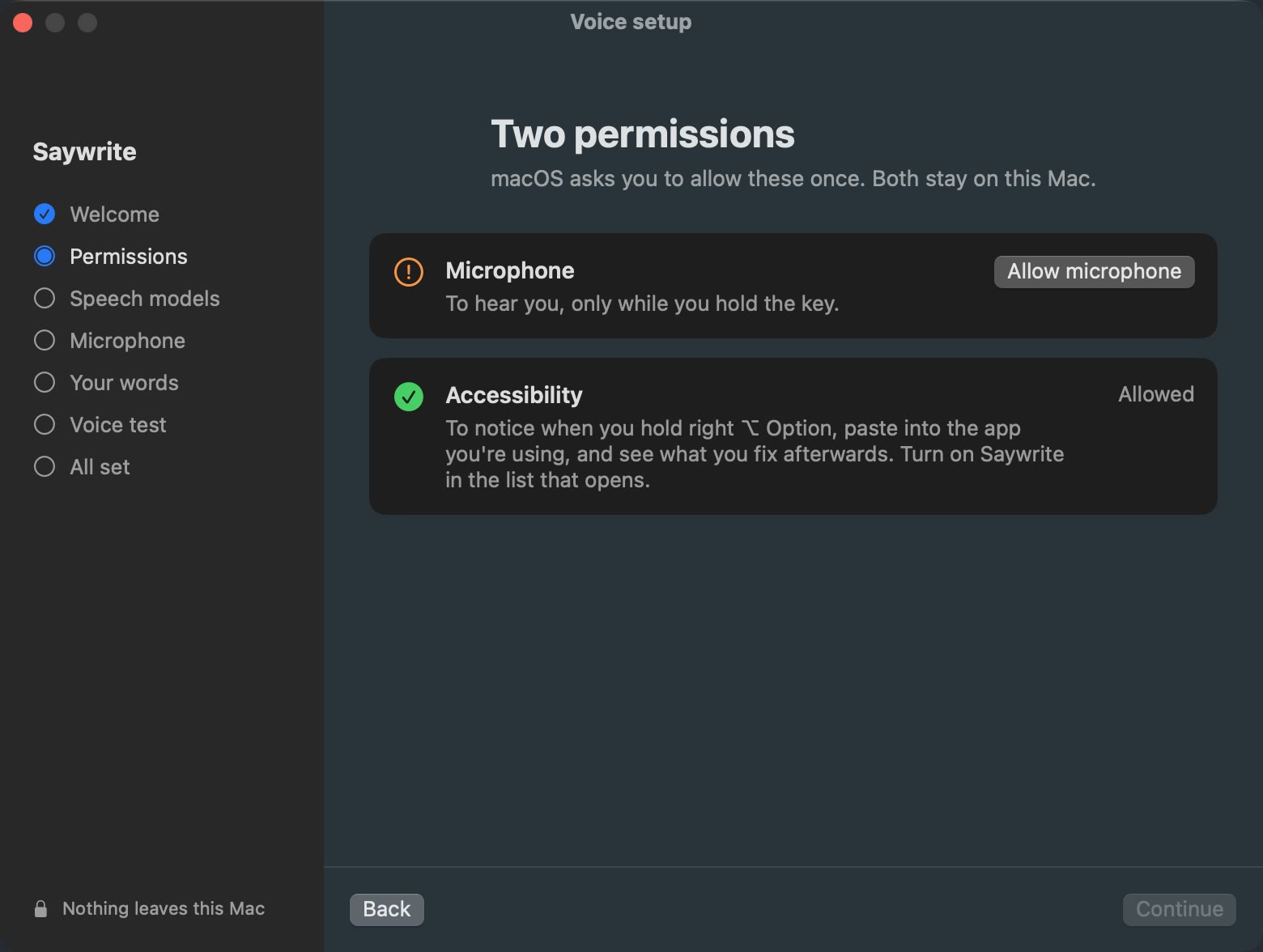
A short guided setup gets Saywrite ready for your voice. It asks for two permissions, downloads the speech models once, checks your microphone, learns a few of your words and ends with a short voice test.
Watch how it works
Saywrite is in beta testing for the Mac. Email us and we'll tell you when it's out.
Support
Something not working, or an idea for the app? Email [email protected] with your Mac model and macOS version. Replies usually within two working days.
A Mac with Apple silicon running macOS 14 or later. The app is about 434 MB, and Voice setup downloads the speech models once, about 6 GB, so leave room for both.
Only once, to download the speech models during Voice setup. After that, dictation works offline. The part that turns your voice into text is kept off the internet by macOS.
Yes. Open the Saywrite menu in the menu bar and choose Talk key: Right ⌥ Option, Right ⌘ Command, Right ⌃ Control or fn (the Globe key). If you pick fn, set “Press 🌐 key to” to “Do Nothing” in Keyboard settings, or macOS will open emoji or its own dictation as well.
Saywrite couldn't find a text field where your cursor was, so it put the text on the clipboard instead. Click where you want it and press ⌘V.
Select the word anywhere, press ⌃⇧F, type the right spelling and press Enter. It's replaced and remembered. You can also tap the word in the floating window just after it pastes, or add it in the Dictionary with Add & teach and say it three times.
To notice when you hold the talk key, paste into the app you're using, and read the text field so it can pick the right style and learn from the fixes you make. It doesn't ask for Input Monitoring, and the microphone is only used while you hold the key, or during the microphone check in Voice setup.
That's on purpose. Saywrite switches itself off in password managers and password fields.
Only when it helps: when you correct yourself (“no wait”, “I mean”), start an email with a greeting, or say more than 60 words. Then a small language model on your Mac tidies the text. Everything else gets quick fixes, which is why most text lands in about a tenth of a second. To switch it off, untick Tidy with the local model in the menu.
In a folder on your Mac. Choose Open data folder from the menu to see it: your dictionary, the review list, a history of your dictations and the last recording. They're plain files, and deleting the folder removes them. See the Saywrite privacy policy.
Soon. Saywrite is in beta testing now. Email [email protected] and we'll tell you when it's out.