“These repositories are one product.”
A group of repositories you always look at together, whatever branch each one is on. See what's new and what's not yet committed across all of them at once.
 Rarely Impossible

GitWorkStream
Catch up on your agents · Mac
One window that shows what your AI coding agents did across all your projects while you were elsewhere: the new branches, the new commits and the work not yet committed. Catch up at a glance. It only looks, so your work is never at risk.
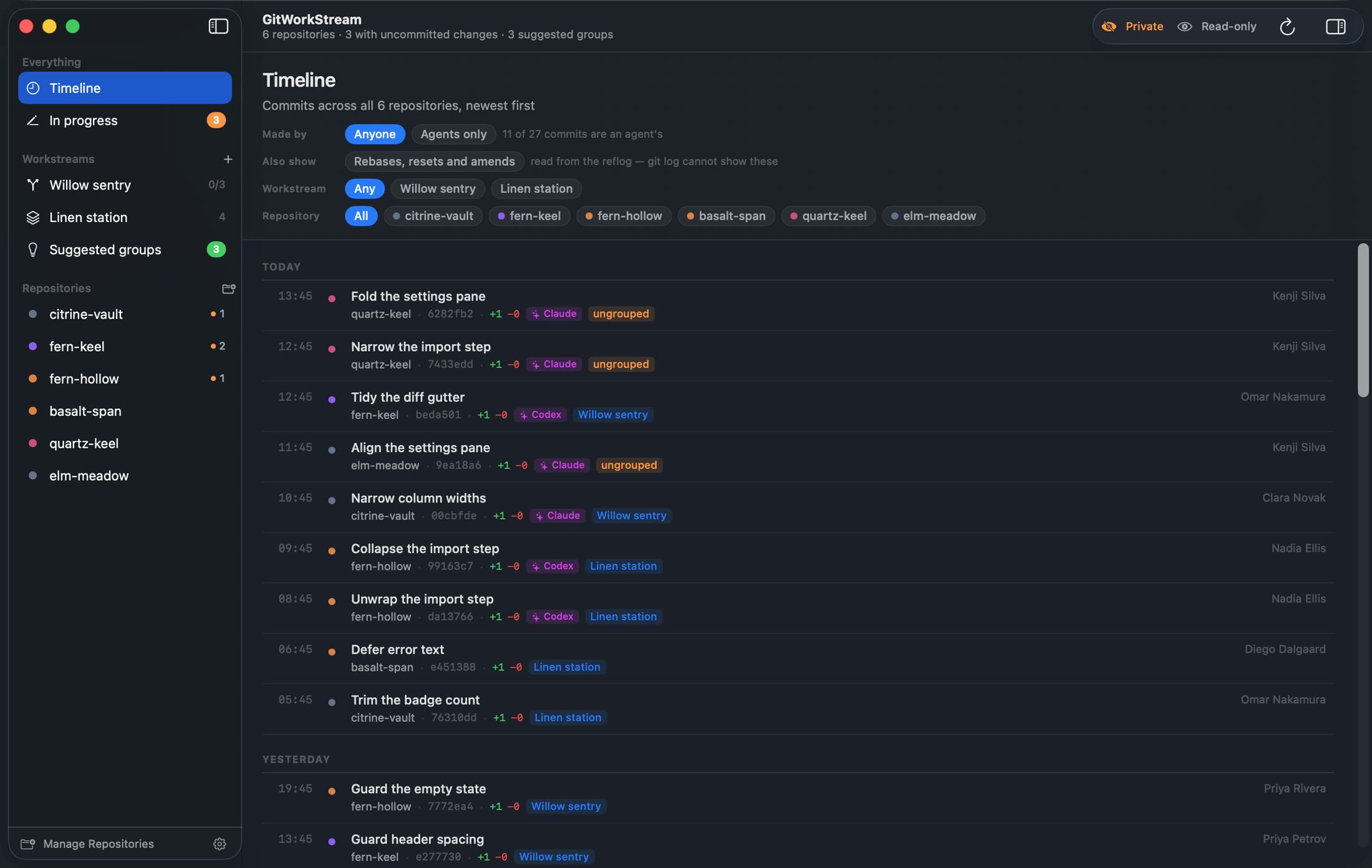
Screenshots taken in private mode, with stand-in names.
The problem
You hand a task to an agent, go to a meeting, and come back to new branches, a dozen commits and half-finished changes spread across your projects. Working out what happened means opening each one in turn and digging through its history.
GitWorkStream puts it all in one window. It works with any agent, any editor and wherever your code is hosted, and because it only looks, it never gets in the way of the work.
While you're away
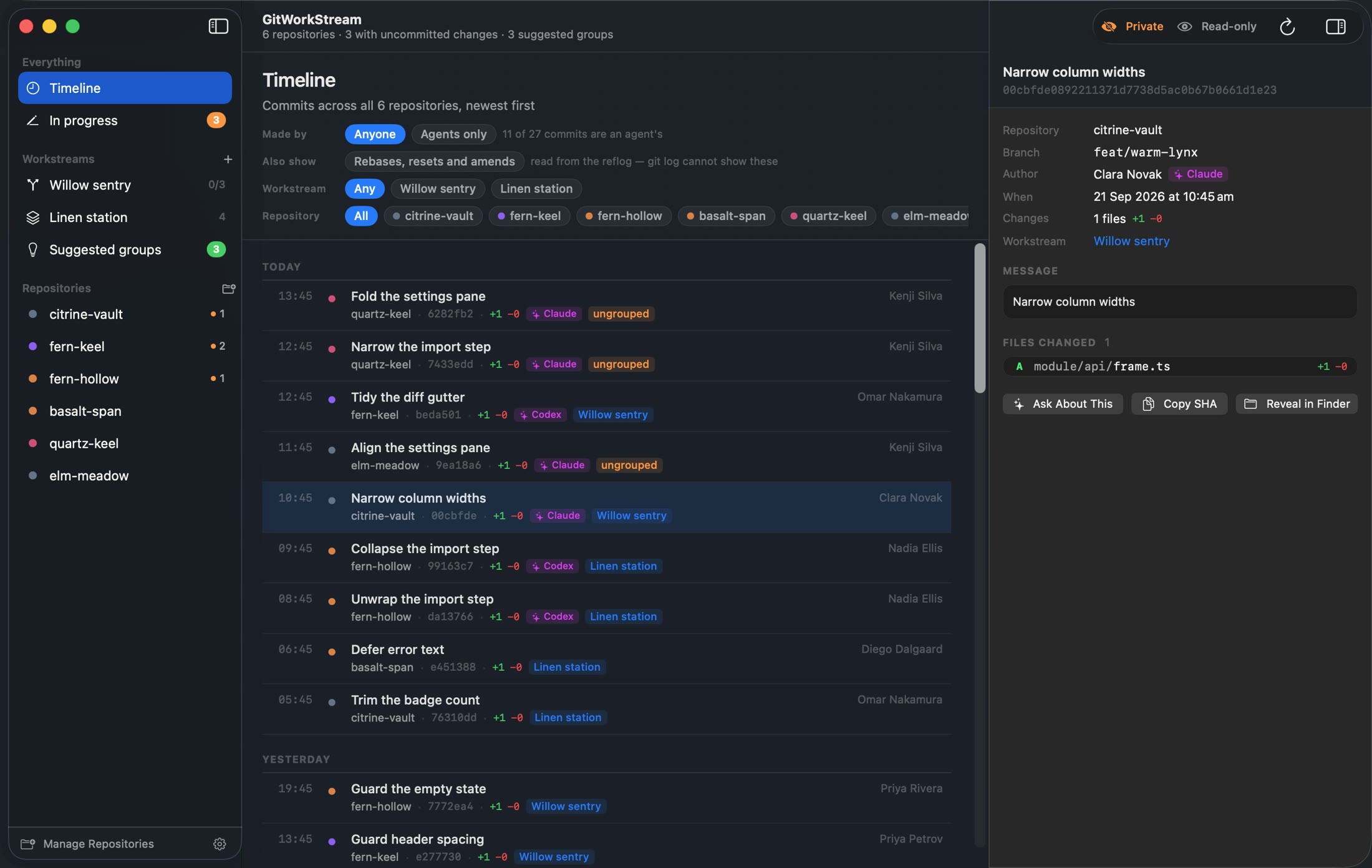
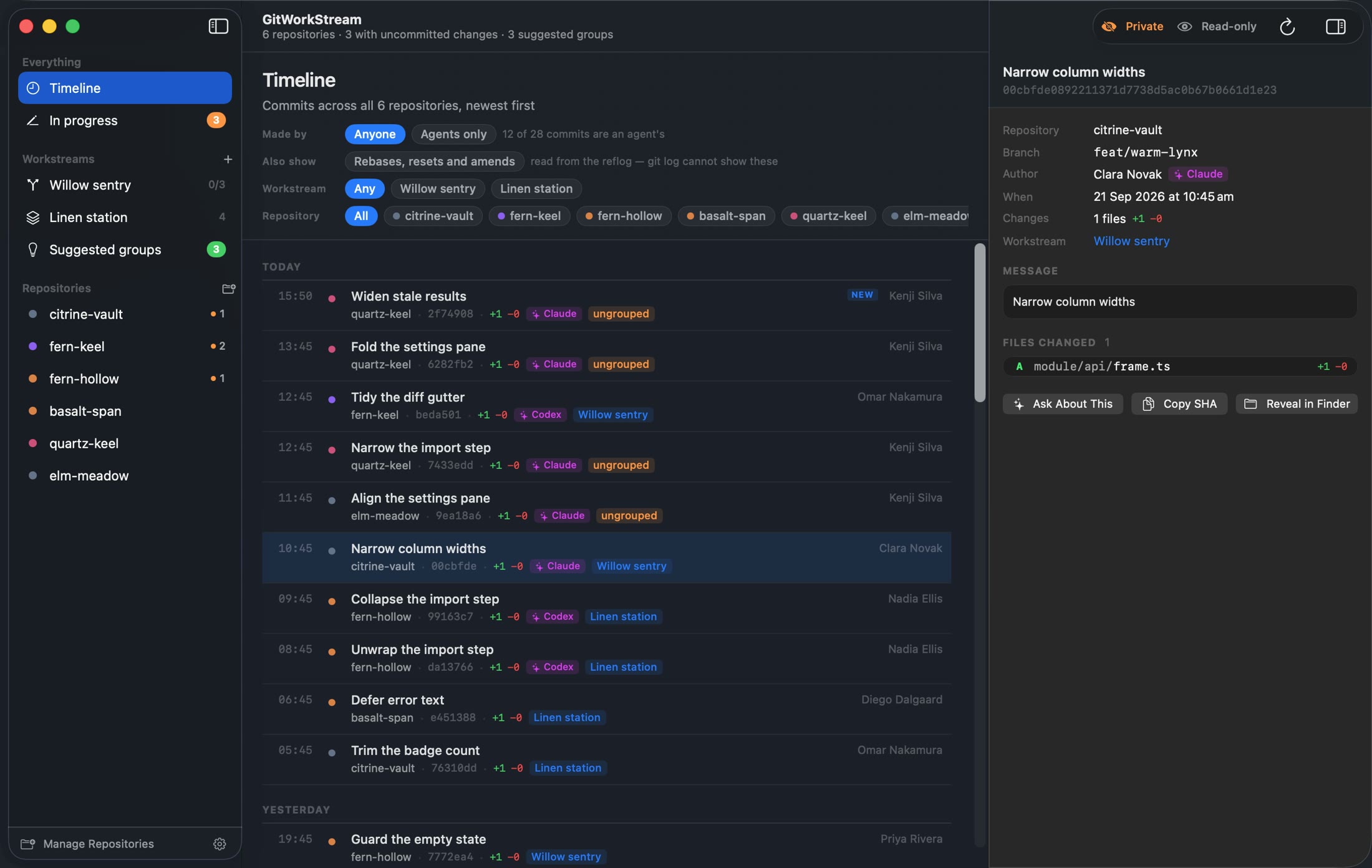
GitWorkStream keeps an eye on your project folders. When an agent commits, it appears in the Timeline on its own, labelled with the agent's name and marked NEW since you last looked. It all comes from the files on your Mac, not a server.
How it knows
Most AI coding agents leave clues in the commits they make. GitWorkStream checks three, in order, to tell their work from yours. Nothing to add to your agents: it doesn't read agent logs or anything an agent keeps for itself.
Co-authored-by: Claude <…>name <email>claude/…The tour
Every commit across all your projects, newest first. Filter by workstream or repository, and if you like, show history that was rewritten, such as rebases, resets and amends.
Workstreams
When one piece of work spans several repositories, give it a name and follow it as one. GitWorkStream suggests groups for you, and you decide.
A group of repositories you always look at together, whatever branch each one is on. See what's new and what's not yet committed across all of them at once.
Shows the order to merge them in, which repositories are ready or blocked, the branches not pushed yet, and all the changes together so you can review them in one go.
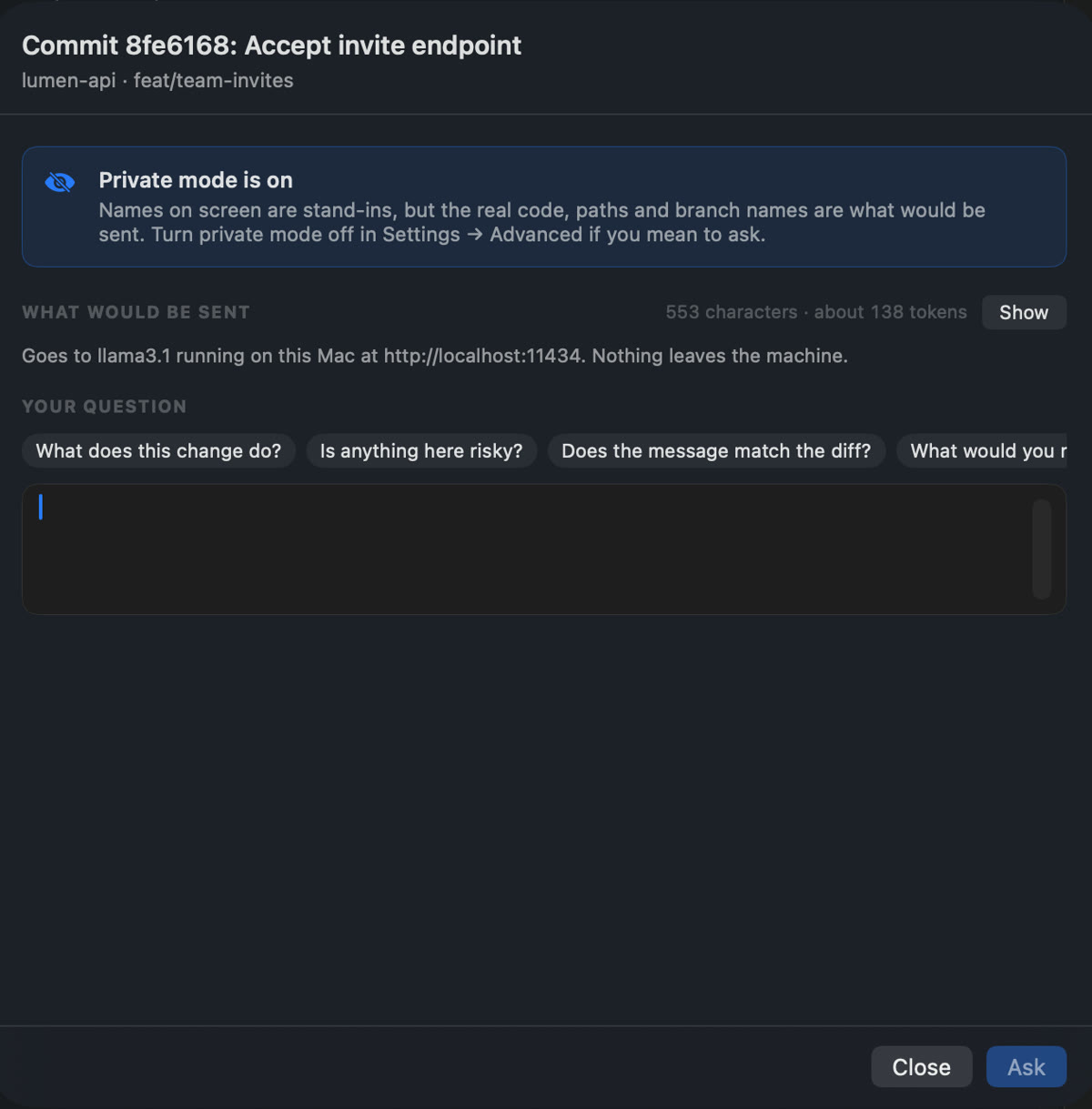
Optional · Ask About This
Pick a commit or a workstream and ask a question about it, using an AI you already have: Anthropic, OpenAI, a model running on your Mac with Ollama, or another OpenAI-compatible service. No ads, no tracking. Your AI, privacy first.
Watch how it works
Safe by design
It never commits, pushes, pulls, fetches, merges or stages anything. Leave it open while your agents work in the same projects.
$ ls
store.json         # folders, repos, workstreams
store.backup.json  # an automatic backup
snapshots/         # the last 12 setups

# …and inside your repositories?
# nothing. GitWorkStream only reads.
Support
Something not working, or an idea? Email [email protected] with your macOS version. Replies usually within two working days.
No. It only looks. It never pushes, pulls, fetches, merges, commits or stages, and it saves nothing inside your projects. It also reads in a way that won't hold up an agent committing at the same time, so it's safe to leave open while agents work. For the curious: it runs git with --no-optional-locks.
Agents leave clues in the commits they make. It looks for a Co-authored-by line in the commit message first, then the author's name or email, then the start of the branch name, such as claude/. It recognises Claude, Codex, Copilot, Cursor, Aider, Devin and generic bots. It doesn't read agent logs or anything an agent keeps for itself.
No. There's no account and no sign-in. It reads the projects on your Mac using the git you already have, and never talks to GitHub, GitLab or anywhere else your code is hosted. You'd only need an API key to use Ask About This with an online AI provider.
Only if you set up Ask About This and press Ask. Then the details shown in the sheet go to the AI provider you chose. If you run a model on your Mac with Ollama, nothing leaves the machine. No ads, no tracking: no telemetry, analytics or crash reporting. The privacy policy has the detail.
A switch in Settings › Advanced that swaps the repository, branch, commit, author and file names on screen for consistent stand-ins, so you can take screenshots or share your screen. A Private label shows in the toolbar, and Ask About This is switched off while it's on. Every screenshot on this page was taken in private mode.
A project is a group of repositories you always look at together, whatever branch each one is on. A change set follows one branch across several repositories, and adds the order to merge them in, which are ready or blocked, the branches not pushed yet and all the changes together in one review.
That repository's own git settings ask git to run another program, such as a filter or diff tool. GitWorkStream won't read it until you've checked and trusted exactly those settings. This protects you from repositories you didn't set up yourself.
On your Mac, in ~/Library/Application Support/GitWorkStream/: your folders, repositories and workstreams, a backup, and your last 12 setups, which you can restore from Settings.
Macs with Apple silicon running macOS 14 or later. It's in development now. Email [email protected] and we'll tell you when it's out.